COMMUNICATION INTERFACE
The BMS of the battery pack has one CAN bus communication port and two RS-485 communication ports for closed loop communication. Using closed loop communication is not required. All inverters, when set with proper voltage and current setpoints for charge and discharge, may be used with our batteries. A list of inverters which can take advantage of closed loop communication can be found in Appendix A.
DRY CONTACT
LINK IN – LINK OUT COMUNICATION
The LINK OUT and LINK IN ports assigned pin function are shown below. See Appendix A for compatible inverters.
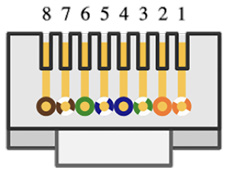
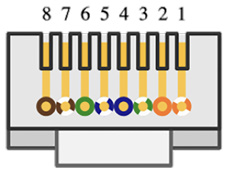
Batteries should be connected to each other via a separate RS-485 interface, with ports dubbed LINK IN and LINK OUT, standard network cable is used.
CAN BUS PARALLEL PACK SELECTOR 7-SWITCH DIP
When multiple batteries are connected in parallel, each battery should be properly addressed through the DIP switches on the back of each battery. Each battery has 1 DIP switch containing 7 individual switches. See the table below for addressing each switch. If communicating with RS-485 the baud rate should be set to 115200 or 9600, with this staying consistent for every battery in the parallel connection. When communicating through CAN bus, all pin 1 switches in the parallel system should be OFF to enable a baud rate of 500k. The Rolls R48-100LFP ESS Battery Installation Manual contains more details and step-by-step instructions for this procedure.
Note: The down position when looking at the front of the unit is the “OFF” mode for each, while the up position indicates “ON”.
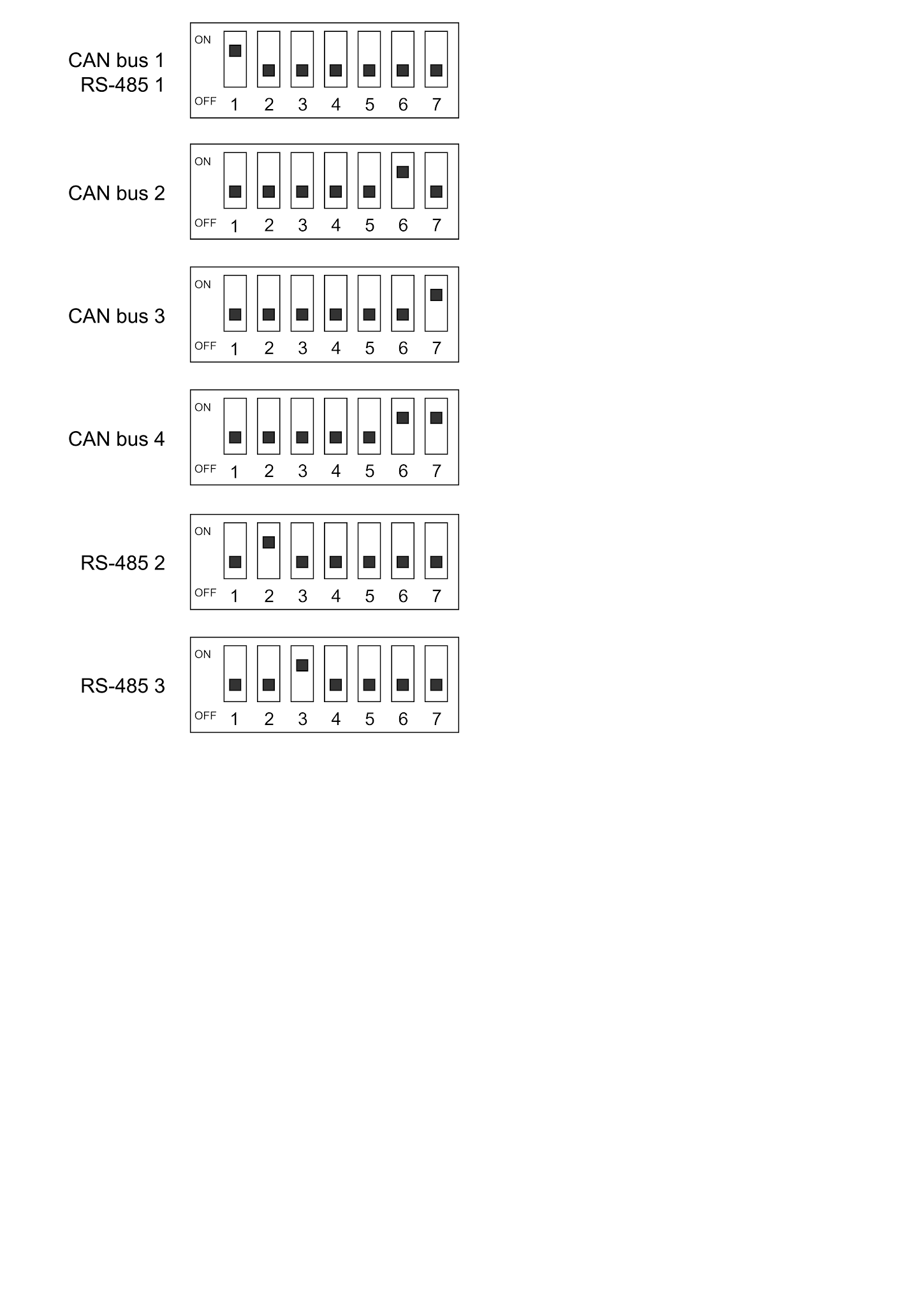
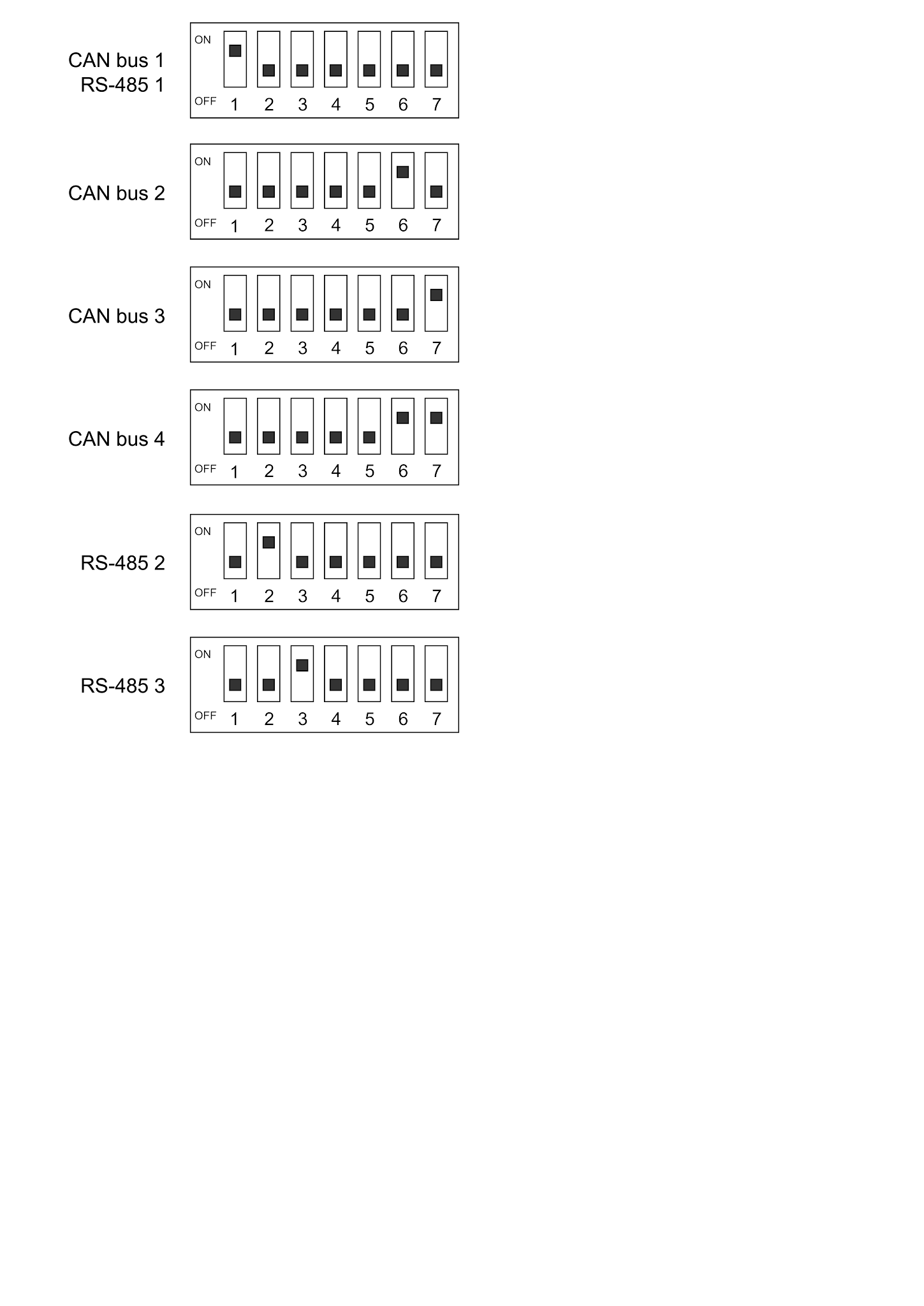
To set pins 2-3 or 6-7, refer to Appendix A. Make sure to use the configuration that matches your inverter brand and desired network.
Was this article helpful?
That’s Great!
Thank you for your feedback
Sorry! We couldn't be helpful
Thank you for your feedback
Feedback sent
We appreciate your effort and will try to fix the article